

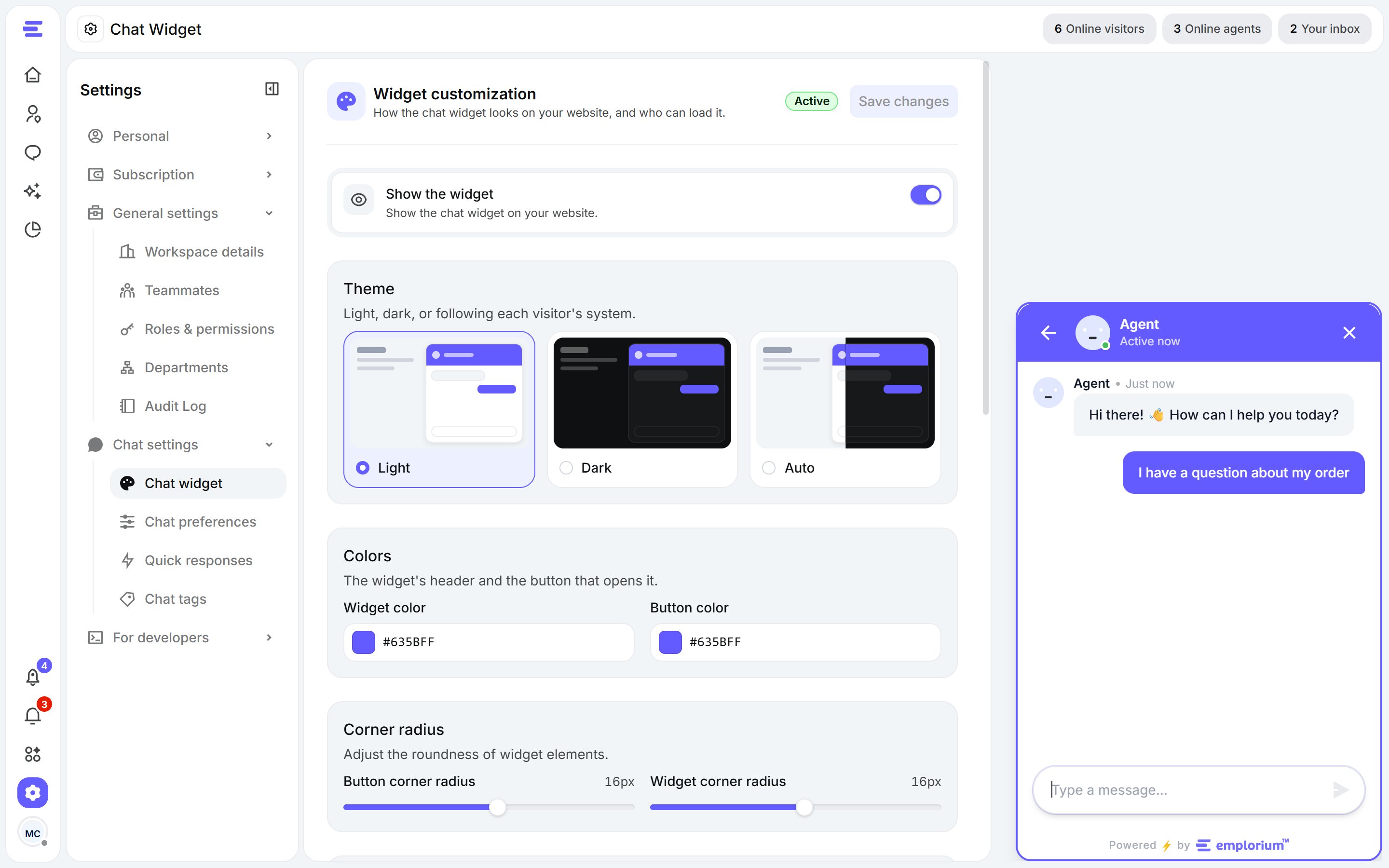
Settings › Chat widget, with the live preview.
Show the widget
Show the widget turns the widget on or off on your website. Turn it off to hide it everywhere without removing the code.Theme & colours
- Theme: Light, Dark, or Auto to follow each visitor’s system setting.
- Widget color: the widget’s header.
- Button color: the button that opens the widget.
Corner radius
Set the roundness of the button and of the widget itself, from square to fully rounded.Text
- Button text: the label on the button that opens the widget.
- Welcome message and Welcome description: what visitors read when they open the widget.
Tabs & footer
The widget always shows its Home and Messages tabs and its footer.Access by IP
Control which visitor IP addresses can load the widget on your site. Previews in the dashboard aren’t affected.
Click Save at the top of the page to publish your changes to the widget.