

The notification center
The bell in the left sidebar opens your notifications. Its badge counts what’s waiting for you.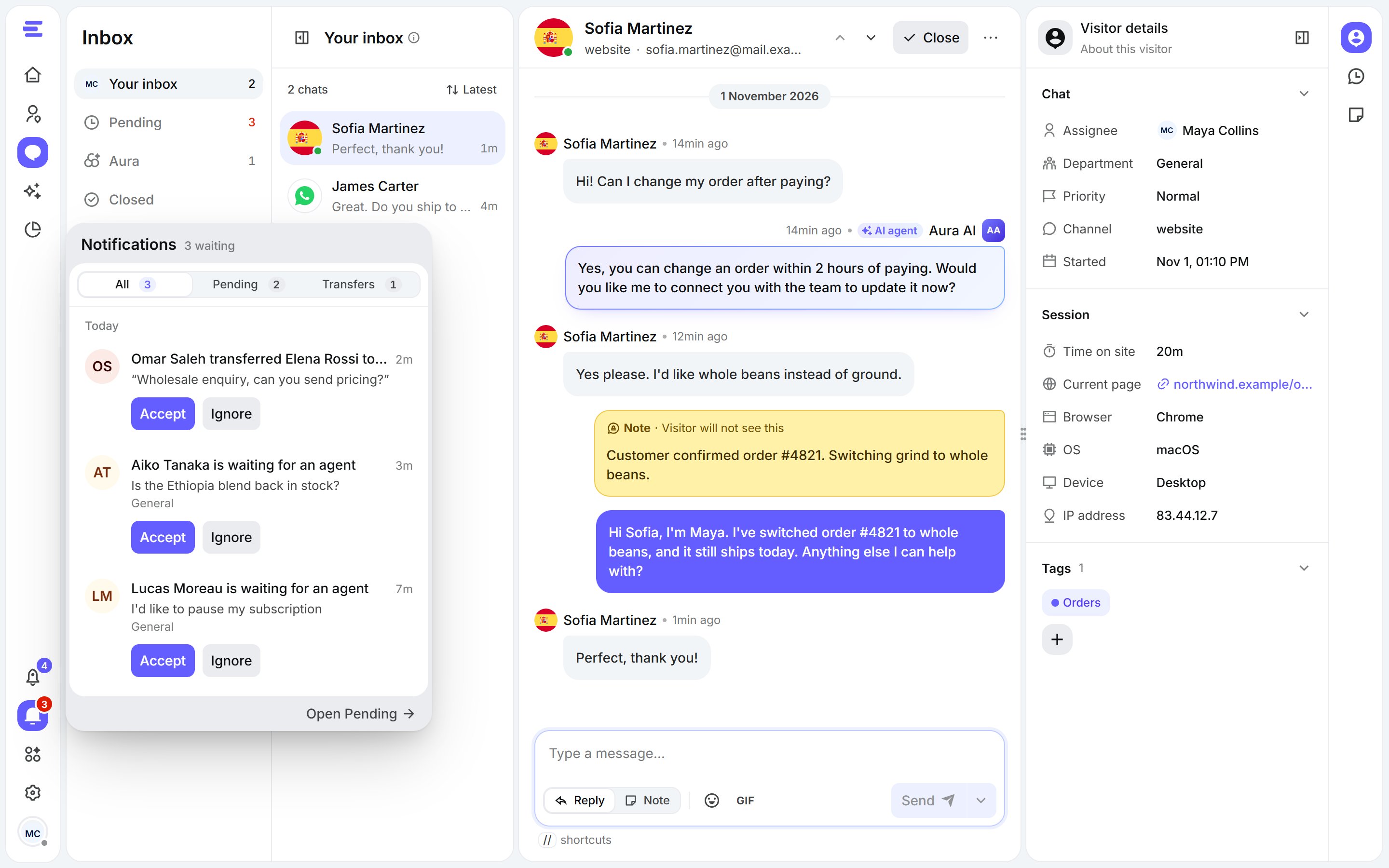
Notifications: visitors waiting for an agent, and chats transferred to you.
- All, Pending and Transfers filter the list.
- A pending notification means a visitor is waiting for an agent. Click Accept to take the chat, or Ignore to leave it for someone else.
- A transfer notification means a teammate handed a chat to you, with their reason if they gave one.
- Open Pending, at the bottom, takes you to the Pending list in the Inbox.
Sounds and browser notifications
Choose how your team is alerted in Settings › Chat preferences › Notifications:
The Agents settings are the defaults for your team’s dashboard; the Visitors settings apply to the chat widget on your site.