

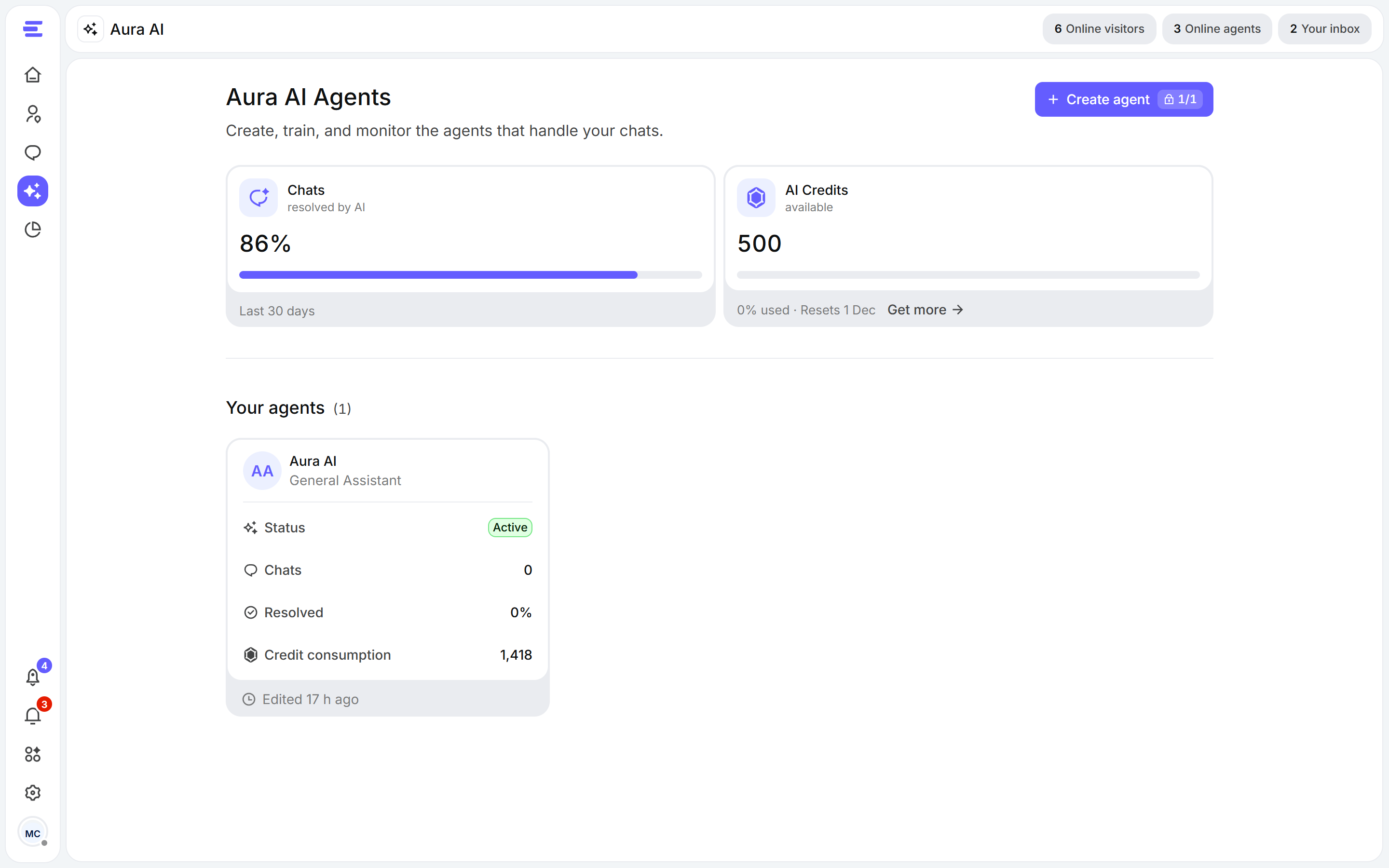
The Aura AI page lists your agents with their status, chats and credit use.
Your agents
Open Aura AI in the left sidebar to see Your agents. Each card shows whether the agent is Active or a Draft, how many chats it handled and resolved, and its credit consumption. Click a card to open the agent. To add one, click Create agent, give it a name and click Create Agent. You can shape its personality, knowledge and behaviour after that. Your first agent may already exist: if you gave your website when you created your account, Aura AI was built for you.How many agents you can create depends on your plan. When you’ve reached the limit, the button reads Upgrade to create.
Inside an agent
An agent’s page has three groups in its left menu, plus a side panel to test it: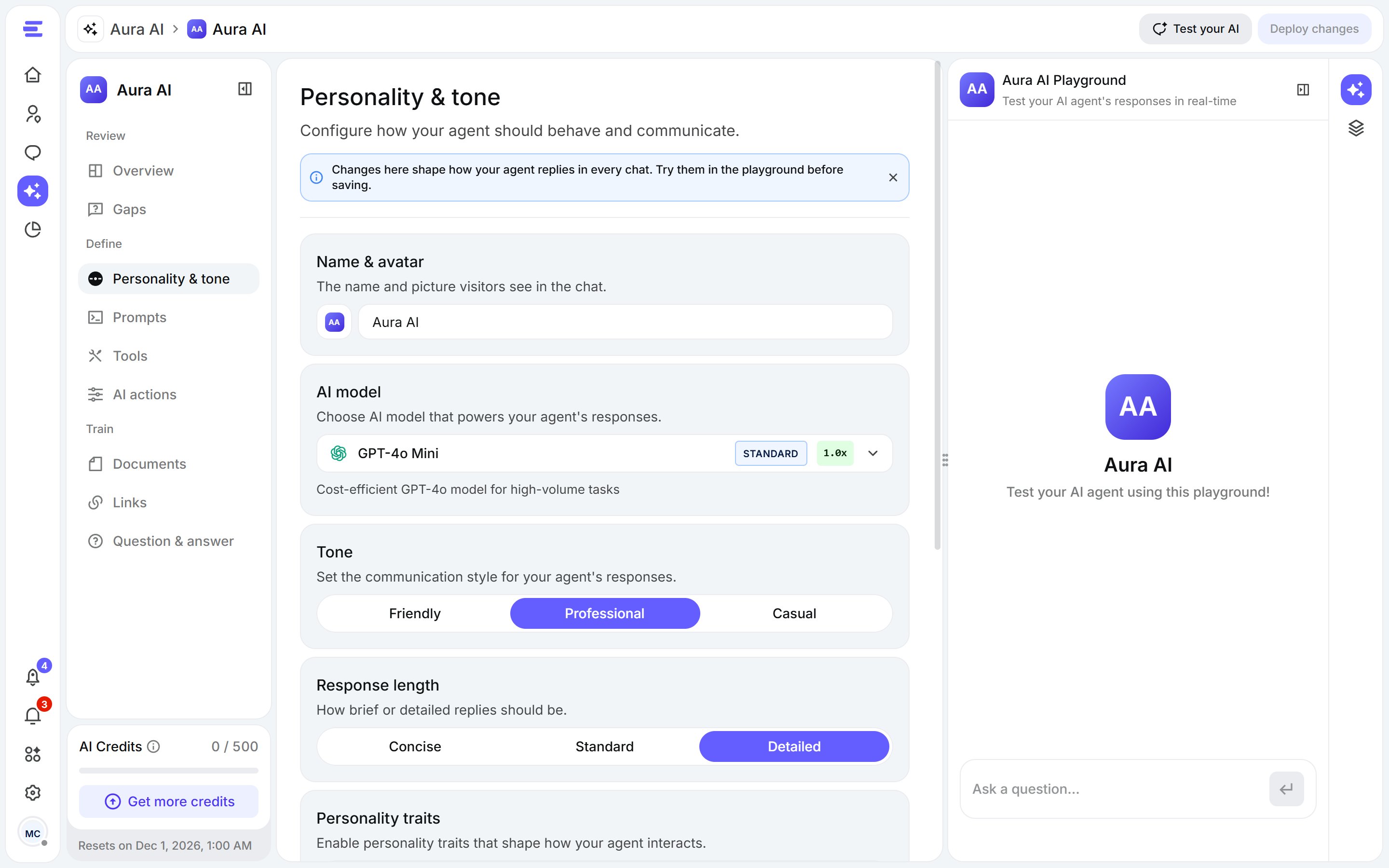
An agent: the menu on the left, the current tab in the middle, the playground on the right.
Train
Documents, Links and Question & answer: what Aura knows.
Define
Personality & tone, Prompts, Tools and AI actions: how Aura behaves.
Review
Overview and Gaps: how Aura is doing, and what it couldn’t answer.
- Train your AI agent, at the bottom of the menu, starts training on any new or changed sources and shows its progress.
- AI credits, under it, shows what’s left this month and when it resets. See AI credits.
- The side panel holds the playground, where you chat with Aura before visitors do, and a summary of its knowledge sources.
Save and deploy
Changes to an agent’s settings aren’t live straight away. When you’ve changed something, Deploy changes appears at the top of the page: click it to apply your changes to live chats, or Reset to undo them.How Aura answers
- A visitor writes in the chat widget.
- Aura looks for the answer in what you trained it on: your links, documents and Q&A (and, if you turn it on, its general knowledge).
- If it can’t find one, it sends your fallback message, and the question appears in Gaps so you can teach it the answer.
- If the visitor asks for a person (and escalation is on), or a tool tells it to, Aura transfers the chat to your team.