

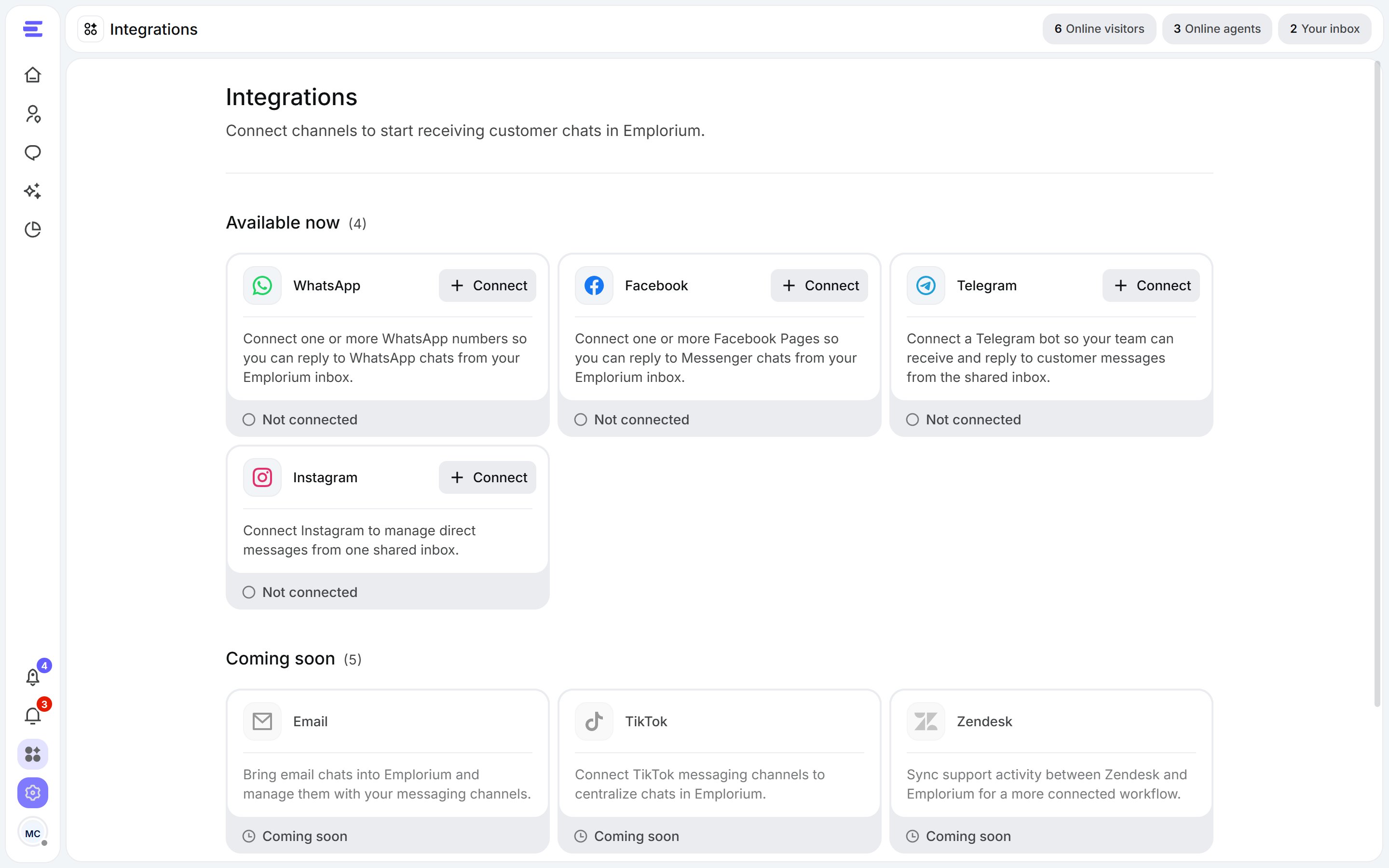
Integrations: each channel with its status.
- On the WhatsApp card, click Connect.
- Click Add WhatsApp Business number and follow the steps to connect your number.
- Your numbers appear under Connected WhatsApp numbers, with their display name and phone number.
Messenger (Facebook)
Connect one or more Facebook Pages and reply to their Messenger chats from your inbox.- On the Facebook card, click Connect.
- Click Add Facebook page and follow the steps to connect your page.
- Your pages appear under Connected Facebook pages.
- On the Instagram card, click Connect.
- Click Add Instagram account and follow the steps to connect your account.
- Your accounts appear under Connected Instagram accounts.
Telegram
Connect a Telegram bot so your team can receive and reply to its messages.1
Create a bot
In Telegram, open BotFather (the Open BotFather link takes you there), send
/newbot and follow its prompts. BotFather gives you a bot token.2
Paste the token
On the Telegram card, click Connect, paste the token into Bot token and click Connect bot.
Disconnect a channel
Open the channel with Manage, select the numbers, pages, accounts or bot, and disconnect them. Emplorium stops receiving new chats from them; existing chats and their history stay in your inbox. You can reconnect at any time from Integrations.Connecting a channel completes the optional Connect a channel step of the setup guide.