

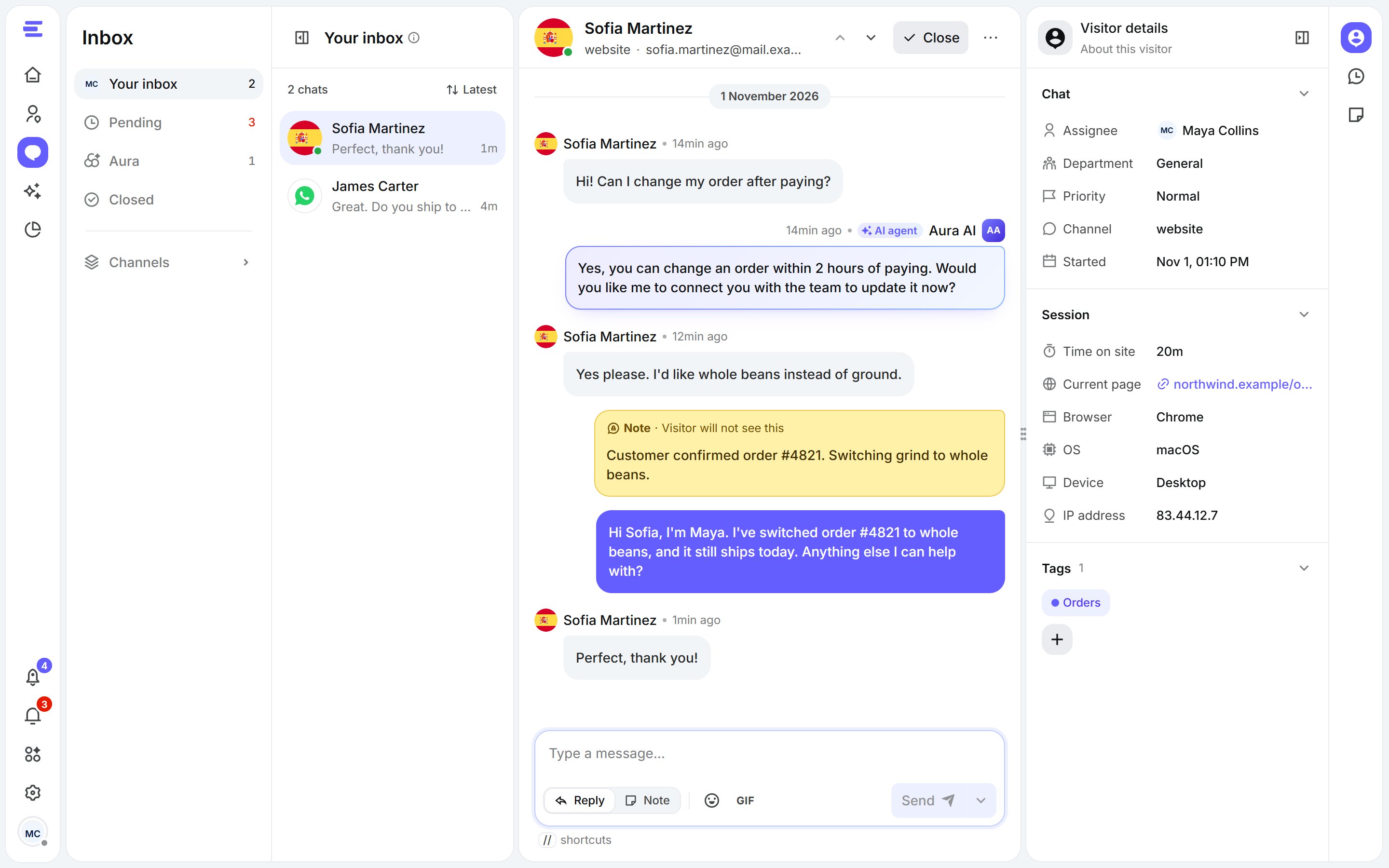
The Inbox: your lists on the left, the chat in the middle, the visitor on the right.
Your lists
The left panel sorts chats by what needs doing:
Under Channels you’ll find the same chats by where they came from: Website, WhatsApp, Messenger, Telegram and Instagram. Channels you haven’t connected stay empty.
Sort a list from Sort by, and filter chats by AI agent if you run more than one.
Pick up a chat
- Open Pending and click a chat to read it. You can see messages as they arrive, but you can’t reply yet.
- Click Accept chat (or Join room) to take it. It moves to Your inbox.
If Aura is handling a chat, joining it takes the chat over from Aura. Aura is assigned back once you close or leave the chat.
The chat
The middle panel is the conversation itself: the visitor’s messages, Aura’s and your team’s replies, and notes your team left (only your team sees those). At the top:- Assignee: who’s handling the chat, and teammates also on it.
- Previous chat / Next chat to move through your list without going back to it.
- Close: ends the chat as resolved. You can add a closing reason, which the visitor sees.
- More actions: Transfer chat, Copy link and Show details.
About the visitor
The right panel tells you who you’re talking to. Switch views from the icons on its side:- Visitor details: the chat’s department, priority and tags; the visitor’s name, email and phone (you can edit them); and their session: current page, time on site, browser, OS, device, country and IP address.
- Previous chats: this visitor’s past chats, resolved or open.
- Chat notes: notes private to your team, like an order number or what’s been promised.
Next steps
Reply and work together
Replies, notes, quick responses, transfers and closing chats.
Notifications
Never miss a waiting visitor.